Integrating digital design with practice management: Learn how to integrate digital smile design with practice management software.
Last Updated: October 12, 2026
The gap between patient interest and case acceptance is where cosmetic practices lose money. A patient walks in excited about smile transformation, but without tools to show results, that excitement fades. Integrating digital design with practice management closes that gap by connecting simulation software to your scheduling, billing, and patient records.
This integration does three things. It eliminates duplicate data entry, so patient information flows automatically between your smile design software and practice management system. It accelerates workflow: your dentist shows the simulation, books the case, and moves on without switching screens. And it creates a complete patient journey record, making it easy to track case acceptance rates.
This guide walks through building an integrated workflow that turns consultations into closed cases.
Before connecting systems, map out your current workflow. Most practices follow a similar path: patient arrives, consultation happens, you discuss cosmetic goals, and ideally you show them what their smile could look like.
Your workflow starts in the waiting room, where many practices use smile design tools to spark conversation before the consultation begins.
During the consultation, your dentist refines the design in the smile simulation software, adjusting tooth shape, color, and alignment based on patient feedback.
After the consultation, simulation data needs to move into your practice management system. Without integration, your team manually re-enters patient goals, treatment plans, and follow-up dates; with it, that data syncs automatically.
The final step is follow-up. Patients who see a simulation are more likely to book, but only if you follow up promptly.
Not all smile simulation tools work the same way. Some require extensive training; others produce results that don't match actual outcomes. Your choice affects everything downstream, including whether your integration works smoothly.
Look for software that integrates with your existing practice management system. Standalone tools produce great images but don't connect to scheduling or billing, creating extra work and breaking your workflow.
Accuracy matters. A simulation that doesn't match the final result erodes trust and creates liability concerns. The software should use proven algorithms to predict how teeth will look after treatment. Ask vendors for before-and-after cases and compare simulations to real results.
Speed is critical for chairside use. If the software takes 30 seconds to generate a simulation, your consultation rhythm breaks. The best tools produce results in seconds, keeping the patient engaged without awkward pauses.
When comparing smile simulation software, score each tool on these factors:
SmileViz checks every box: AI-powered simulations in seconds, direct integration with major practice management platforms, and minimal training. Dentists report patients engage more deeply when they control the simulation themselves, adjusting tooth shade and shape in real time.
Your consultation workflow is where patients decide whether to move forward with treatment. Mapping it carefully ensures your digital design tool fits naturally instead of adding friction.
Document what happens today: each step from the waiting room to the end of the consultation, who does what, how long each step takes, and where decisions happen.
Next, identify where smile simulation adds value.
Sequencing is key. Show the simulation too early and the patient feels pushed; too late and you've lost their attention.
Your practice management system should track where each patient is in this workflow: Did they see a simulation? When? Did they book? How long between simulation and booking?
Document how your team will hand off information between the simulation software and practice management system, a button click, a manual entry, or automatic sync.
Connecting your smile simulation software to your practice management system requires three steps: choosing compatible tools, setting up the connection, and testing the flow.
First, verify compatibility. Your practice management software has a list of integrated applications; your smile simulation tool should appear on it. If not, ask the vendor whether an integration is planned.
Second, set up the connection. Most integrations use APIs (application programming interfaces) that let two systems exchange data. Setup usually involves entering credentials and selecting which data fields sync between systems.
Third, test the entire workflow before going live.
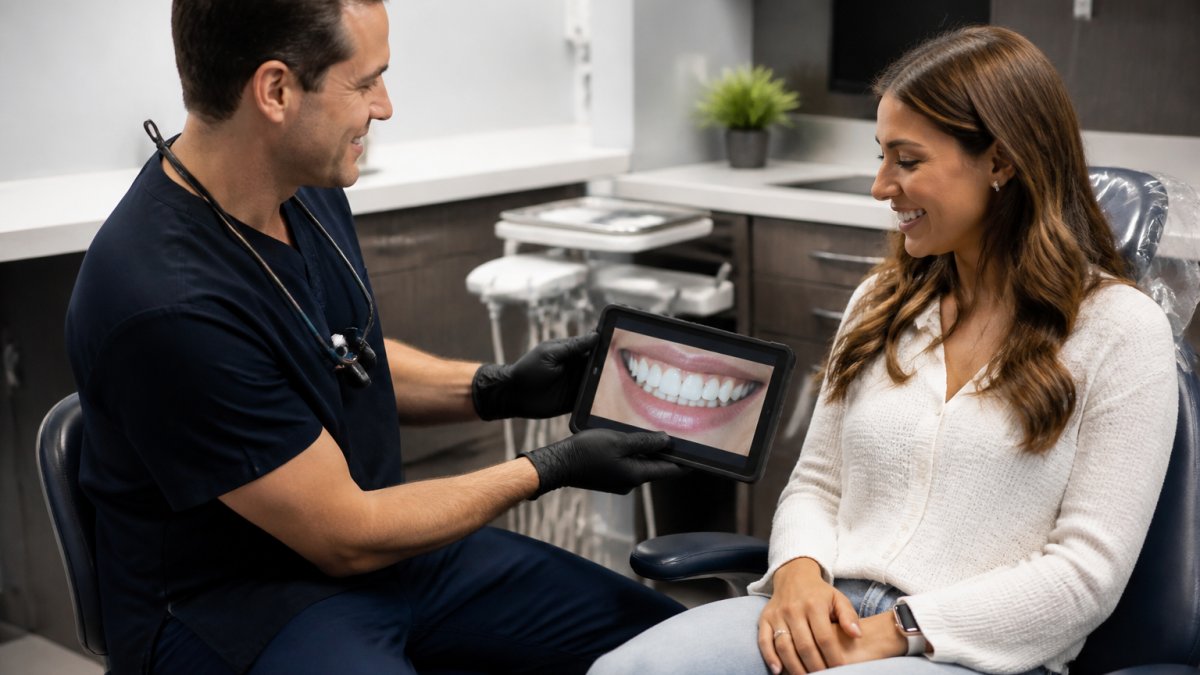
Data synchronization is the engine of your integrated workflow. When systems sync properly, patient information flows seamlessly. When they don't, you get duplicate records, missed follow-ups, and frustrated staff.
The best integrations sync data bidirectionally: changes in your practice management system update the smile simulation software, and vice versa. Front desk contact updates appear in the simulation software; dentist consultation notes populate the patient's record in practice management.
Interoperability standards matter. Look for systems using HL7 or FHIR standards for health data exchange, which ensure different platforms understand each other's data format (Overview). Without standards, integrations break when vendors update their software.
Your team should understand what data syncs and what doesn't. Decide which data points matter, patient demographics, treatment history, insurance information, consultation notes, simulation images, and be selective. Too much data flowing between systems creates confusion and errors.
Patient data is sensitive. Integrating systems creates new pathways for that data, and you need to protect them.
Start with encryption. All data moving between your smile simulation software and practice management system should be encrypted in transit, so intercepted data can't be read, and at rest on servers.
Access controls are equally important. Your dentist needs treatment plans and simulations; your front desk needs schedules and contact information; your billing staff needs insurance and payment data. Set permissions accordingly.
Compliance depends on your location and software.
If you treat patients under 13, COPPA (Children's Online Privacy Protection Act) adds extra data collection and storage requirements. Verify your integrated systems comply.
Document your data security practices in a policy explaining how patient data flows between systems, who can access it, and how you protect it.
Follow-up is where many practices lose cases. A patient sees a beautiful simulation and leaves excited. But if nobody reaches out within 48 hours, that excitement cools.
Set up automated reminders. After a patient receives a smile simulation, your system should flag them for follow-up, prompting your front desk to call or text within one business day.
Your follow-up message should reference the simulation. Instead of a generic "checking in," try "We wanted to see how you're feeling about the smile design we showed you.
Track follow-up outcomes in your practice management system: Did the patient book, decline, or ask for more information?
Some practices use automated text or email sequences: a text the day after the consultation, an email three days later, and a phone call reminder one week later if the patient hasn't booked.
Integration isn't a one-time event. It's a process of planning, measurement, and refinement.
Start with a clear timeline. Week one: choose your smile simulation software and verify compatibility. Week two: set up the integration and configure data fields. Week three: train your team. Week four: soft launch with a few patients while monitoring for issues. Week five and beyond: full launch and ongoing optimization.
Assign an owner for the implementation. This person coordinates between your team, software vendors, and IT support, tracking timelines and resolving issues. Without a clear owner, implementation stalls.
Your team is the difference between successful integration and failed implementation. Even the best software fails if your team doesn't know how to use it or believe in the workflow.
Start training before you go live, using real patient scenarios.
Training should be hands-on, not just a video. Let people click buttons, make mistakes in a safe environment, and ask questions. Schedule follow-up training one week after launch to address real-world issues.
Emphasize the benefits: patients engage more deeply with simulations than verbal descriptions, your front desk spends less time on duplicate data entry, and your billing staff gets cleaner treatment records. When your team sees these benefits firsthand, adoption accelerates.
You need numbers to know whether your integration is working. Establish baseline metrics before launch, then track them monthly.
Start with case acceptance rate: what percentage of patients who receive a smile simulation book treatment? Your baseline gives a clear before-and-after comparison.
Track consultation-to-booking time: how many days pass between consultation and booking? Shorter timeframes mean better follow-up.
Measure team efficiency: consultation length, monthly data entry errors, and time spent switching between software systems. These operational metrics show whether integration reduces friction.
Calculate revenue impact.
Monitor patient satisfaction. Did patients feel more confident after seeing a simulation? Did the final result match their expectations? Use follow-up surveys to measure satisfaction before and after implementation.
Most integration failures fall into predictable categories. Knowing them helps you avoid expensive mistakes.
The first pitfall is choosing software that doesn't actually integrate.
The second pitfall is poor data mapping.
The third pitfall is inadequate training. Your team doesn't understand the new workflow and uses the old system alongside it, creating duplicate work.
The fourth pitfall is ignoring security. You integrate systems without proper encryption or access controls. Patient data becomes vulnerable. Compliance issues follow.
The fifth pitfall is unrealistic expectations. Integration improves workflow efficiency and case acceptance, but it doesn't replace good clinical skills or patient service.
The sixth pitfall is launching without testing.
Integrating digital design with practice management transforms how your practice operates.
SmileViz makes this integration simple.
Ready to see how SmileViz transforms your consultation experience?
Start by selecting smile simulation software that connects to your practice management system via API or native integration. Map your consultation workflow to identify where simulations fit, typically during initial cosmetic consultations. Train your team on the software, establish protocols for capturing patient data, and ensure the simulation results sync automatically to patient records. Test the integration with a pilot group before rolling out to all providers. Most practices see full adoption within 2-4 weeks when staff training is comprehensive.
Quality smile simulation software uses AI-powered algorithms trained on thousands of real before-and-after cases to predict outcomes based on patient anatomy, tooth structure, and cosmetic parameters. The accuracy depends on the software's training data and the precision of initial digital scans. SmileViz, for example, delivers real-time simulations in seconds using advanced AI, but accuracy also relies on proper case planning and the dentist's clinical judgment. Always discuss simulation limitations with patients and set realistic expectations about final results.
Patients who see a realistic preview of their potential smile during consultation are significantly more likely to accept treatment. Simulations reduce uncertainty, address objections in real time, and allow patients to visualize the investment. This chairside visualization bridges the gap between patient interest and treatment commitment. Practices using smile simulation software report higher case acceptance rates because patients can make informed decisions immediately rather than leaving uncertain about outcomes.
Evaluate integration compatibility with your existing practice management software, staff training requirements, and implementation timeline. Consider data migration needs, security and compliance requirements (HIPAA for patient data), and total cost of ownership. Assess your patient volume and cosmetic case load to determine ROI. Check whether the software supports your specific clinical workflows and whether vendor support is available. Request a demo and trial period to ensure the solution fits your practice before committing.
Show patients their future smile in about 90 seconds and close more cosmetic cases chairside.
Book a free demo
AI smile previews that help patients say yes, before, during, and after the consult.